
Most people think Google Images is just a massive photo album where everything gets dumped and sorted alphabetically. That misconception is holding back millions of websites from tapping into one of the most underutilized traffic sources on the internet. The reality is far more sophisticated – and once you understand how Google Images work, you’ll realize why your perfectly optimized images might be invisible while your competitor’s blurry smartphone photos rank on page one.
What Are The Core Components of Google Images?
How Google Crawls and Indexes Images?
Picture Googlebot as a digital archaeologist, methodically excavating every corner of the web for visual content. When it hits your website, it doesn’t just grab images randomly. It follows a specific pattern – checking your sitemap first, then following internal links, and finally discovering images embedded in your content. The crawler reads image URLs, downloads them temporarily, and processes the visual data through multiple analysis layers.
Here’s what most people miss: Google doesn’t crawl images in isolation. It examines the entire context – the surrounding text, the page structure, even the folder names in your URL path. Every piece matters.
But there’s a catch.
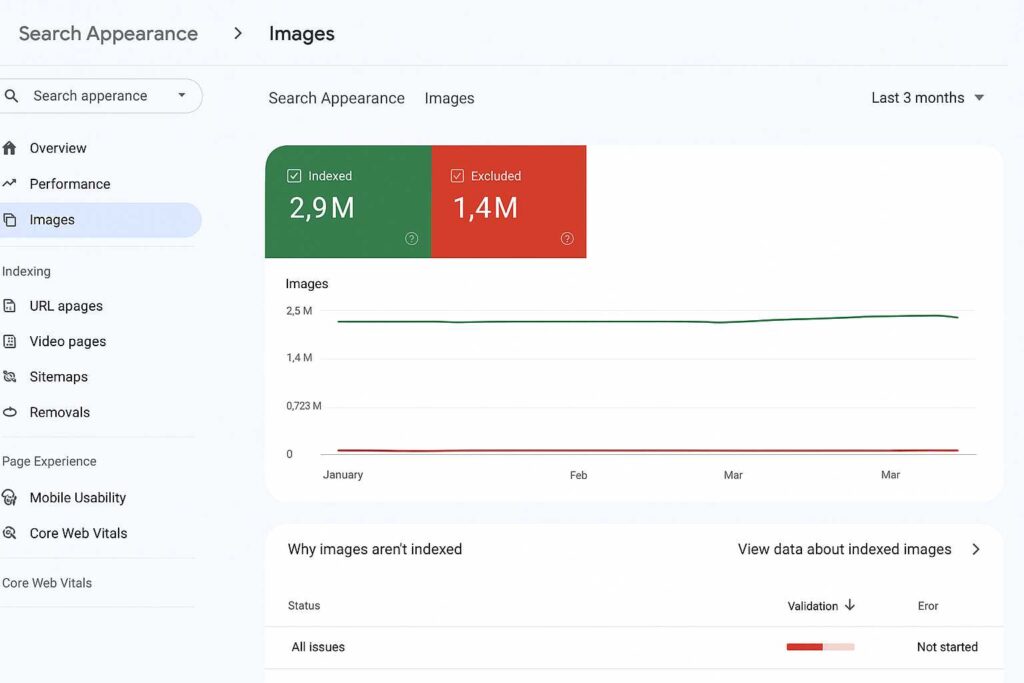
If your images sit behind JavaScript rendering or lazy-load incorrectly, Googlebot might never see them. Think about that for a second – you could have the perfect image, optimized to perfection, and Google’s crawler just… walks right past it.
Image Recognition Algorithms and Visual Features Analysis
Google’s computer vision technology has gotten scary good at understanding what’s actually in your images. We’re talking about neural networks that can distinguish between a golden retriever and a labrador, identify specific landmarks, and even detect the emotional tone of facial expressions. The system extracts visual features like:
- Color distribution and dominant hues
- Shape patterns and geometric structures
- Texture analysis and edge detection
- Object recognition and scene classification
- Text within images (OCR processing)
These algorithms work in milliseconds, creating what’s essentially a visual fingerprint for every image. That fingerprint gets matched against billions of others in Google’s index. It’s basically facial recognition software on steroids, except it works on everything from product photos to memes.
Database Comparison and Ranking Process
Once Google understands what your image contains, it needs to decide where to rank it. The comparison process happens across multiple databases simultaneously. Your image gets evaluated against similar images for visual quality, uniqueness, and relevance. Google maintains separate indexes for different image types – one for products, another for people, another for places, and so on.
The ranking algorithm considers over 200 factors, but here’s the kicker: visual similarity is just one piece. Your image could be technically perfect but still tank in rankings if the supporting signals are weak. Google reverse image search uses this same comparison system to find visually similar content across the web, which is why stolen images often get penalized – Google knows who posted it first.
Role of Alt Text and Metadata in Image Understanding
Alt text isn’t just for accessibility anymore (though that’s still crucial). It’s your direct line of communication with Google about what your image represents. But here’s where people mess up: they either keyword-stuff their alt text or write something generic like “image1.jpg description”.
What actually works? Descriptive, natural language that a blind person would find helpful. Instead of “SEO services graphic”, try “Flowchart showing the five stages of an SEO audit process”. Google’s algorithms are sophisticated enough to understand context and penalize manipulation.
For image search, there’s the context that comes from the page + image combination that matters.
— John Mueller (Google)
Metadata goes deeper. EXIF data, schema markup, captions, and even the title attribute all feed into Google’s understanding. Each piece of metadata is a vote of confidence about what your image represents.
Impact of Page Authority and Content Quality
Here’s an uncomfortable truth: a mediocre image on a high-authority site will often outrank a perfect image on a new website. Page authority acts as a trust signal that amplifies everything else. Google figures if The New York Times publishes an image, it’s probably accurate and valuable.
But don’t despair if you’re not a media giant. Content quality can level the playing field. Google measures engagement signals like:
- How long people stay on your page after clicking through from image search
- Whether they interact with other elements on your page
- If they save or share your image
- Click-through rates from image search results
Quality content keeps people engaged. Engaged visitors send positive signals. Positive signals boost rankings. It’s a virtuous cycle.
How To Optimize Images for Better Google Rankings
List of Essential File Name and Alt Text Requirements
Forget everything you’ve heard about keyword density in file names. Google image search algorithm has evolved way past that. Your file naming strategy should follow this hierarchy:
| Priority Level | File Name Example | Why It Works |
| Best Practice | red-nike-air-max-90-side-view.jpg | Descriptive, specific, naturally readable |
| Acceptable | nike-shoes-red-2024.jpg | Clear but less specific |
| Poor | IMG_20240115_143022.jpg | No context for search engines |
| Terrible | shoe-shoe-shoe-cheap-shoe.jpg | Obvious keyword stuffing |
For alt text, think like you’re describing the image to someone over the phone. Be specific but concise. Mention colors, positions, actions, and context when relevant. Skip phrases like “image of” or “picture showing” – Google already knows it’s an image.
Image Format and Compression Best Practices
The format wars are over, and WebP won. Well, mostly. Here’s the breakdown of when to use what:
- WebP: Your default choice. 25-35% smaller than JPEG with better quality
- AVIF: Even better compression but limited browser support (for now)
- JPEG: Still king for photographs where WebP isn’t supported
- PNG: Only for images requiring transparency
- SVG: Logos, icons, and simple graphics only
Compression is where most sites blow it. They either serve 5MB monsters that tank page speed or compress images until they look like they were taken with a potato. The sweet spot? Aim for 85% quality compression for JPEGs and equivalent settings for other formats. Your images should be under 100KB for thumbnails and under 500KB for full-size whenever possible.
Can you feel the difference between an 85% and 95% quality image?
Probably not. But you’ll definitely feel the difference in page load speed.
Responsive Images and Core Web Vitals
Google’s Core Web Vitals turned image optimization from a nice-to-have into a ranking factor. Your images directly impact Largest Contentful Paint (LCP) and Cumulative Layout Shift (CLS). Here’s how to nail both:
Use srcset and sizes attributes to serve different image sizes for different screens. A mobile user doesn’t need a 4K image. Implement proper lazy loading with loading=”lazy” but exclude above-the-fold images. Add explicit width and height attributes to prevent layout shift as images load.
The most overlooked optimization? Preloading your hero image. One line of code in your header can shave half a second off your LCP:
<link rel=”preload” as=”image” href=”hero-image.webp”>
Structured Data Implementation for Rich Results
Structured data is your ticket to those eye-catching rich results in image search. Google image search SEO best practices now heavily emphasize schema markup, especially for:
- Product images (with price, availability, ratings)
- Recipe images (cooking time, calories, ratings)
- Video thumbnails (duration, upload date, description)
- News images (publication date, author, headline)
The implementation is straightforward but tedious. You’re basically wrapping your images in JSON-LD code that explicitly tells Google what type of content it’s looking at. Pro tip: Google’s Structured Data Testing Tool will catch 90% of your mistakes before they go live.
Placement Strategy for Maximum Visibility
Where you place images on your page matters more than you think. Google gives more weight to images that appear above the fold and near relevant text. But here’s what nobody talks about: image clustering.
When you group related images together (like in a gallery or comparison table), Google understands they’re connected and may show them as a pack in search results. This is huge for e-commerce sites. Instead of competing for one image slot, you’re competing for multiple slots with one piece of content.
Also, stop burying your best images at the bottom of posts. If you’ve got a killer infographic or unique photo, lead with it. First impressions matter – even to algorithms.
Mastering Google Images for Better Online Visibility
Understanding how to search by image on Google and how to find similar images on Google gives you insight into how the platform thinks. The same technology that powers reverse image search is evaluating your images for ranking. Every optimization compounds – better file names lead to better crawling, better compression leads to faster loading, faster loading leads to better user signals, and better user signals lead to higher rankings.
The sites winning at Google Images aren’t doing anything magical. They’re just doing the basics consistently while their competitors chase the latest hacks. Focus on creating genuinely useful visual content, optimize it properly, and give Google every possible signal about what your images represent. The algorithm will handle the rest.
FAQs
How does Google reverse image search identify similar images
Google reverse image search creates a mathematical fingerprint of your uploaded image using computer vision algorithms that analyze colors, shapes, patterns, and textures. This fingerprint gets compared against billions of indexed images using similarity scoring. The system can identify exact matches, modified versions, and visually similar content even if the images have been cropped, filtered, or resized. It’s essentially pattern matching on a massive scale.
What image formats work best for Google Images ranking
WebP currently offers the best balance of quality and file size for Google Images ranking, with 25-35% better compression than JPEG. For photographs, use WebP with JPEG fallback. For graphics with transparency, stick with PNG. For simple icons and logos, SVG provides perfect scaling. AVIF is emerging as an even better option but lacks universal browser support. The key isn’t just the format – it’s choosing the right format for each image type.
Does Google Images prefer original photos over stock images
Google doesn’t explicitly penalize stock photos, but original images tend to perform better for several reasons. Original photos are unique, which helps them stand out in a sea of duplicate stock images across the web. They also tend to be more relevant to your specific content and generate better engagement signals. However, a well-chosen, properly optimized stock photo will still outrank a poorly optimized original photo.
How long does it take for new images to appear in Google search
New images typically appear in Google search within 3-7 days if your site is regularly crawled, though it can take up to several weeks for newer sites. You can speed this up by submitting an image sitemap through Google Search Console and ensuring your images are properly linked from indexed pages. Images from frequently updated news sites might appear within hours, while images on rarely updated sites could take months

Ridam Khare is an SEO strategist with 7+ years of experience specializing in AI-driven content creation. He helps businesses scale high-quality blogs that rank, engage, and convert.



