
Most SEO guides tell you to run a full site crawl with Screaming Frog and then spend weeks analyzing the data. That’s backwards. The real power isn’t in crawling everything – it’s in knowing exactly what to look for and fixing it fast. A targeted 20-minute session with the right filters can deliver more impact than a month of spreadsheet gymnastics.
Key On-Page SEO Improvements Using Screaming Frog
1. Fix Broken Links with Screaming Frog SEO Spider Broken Link Checker
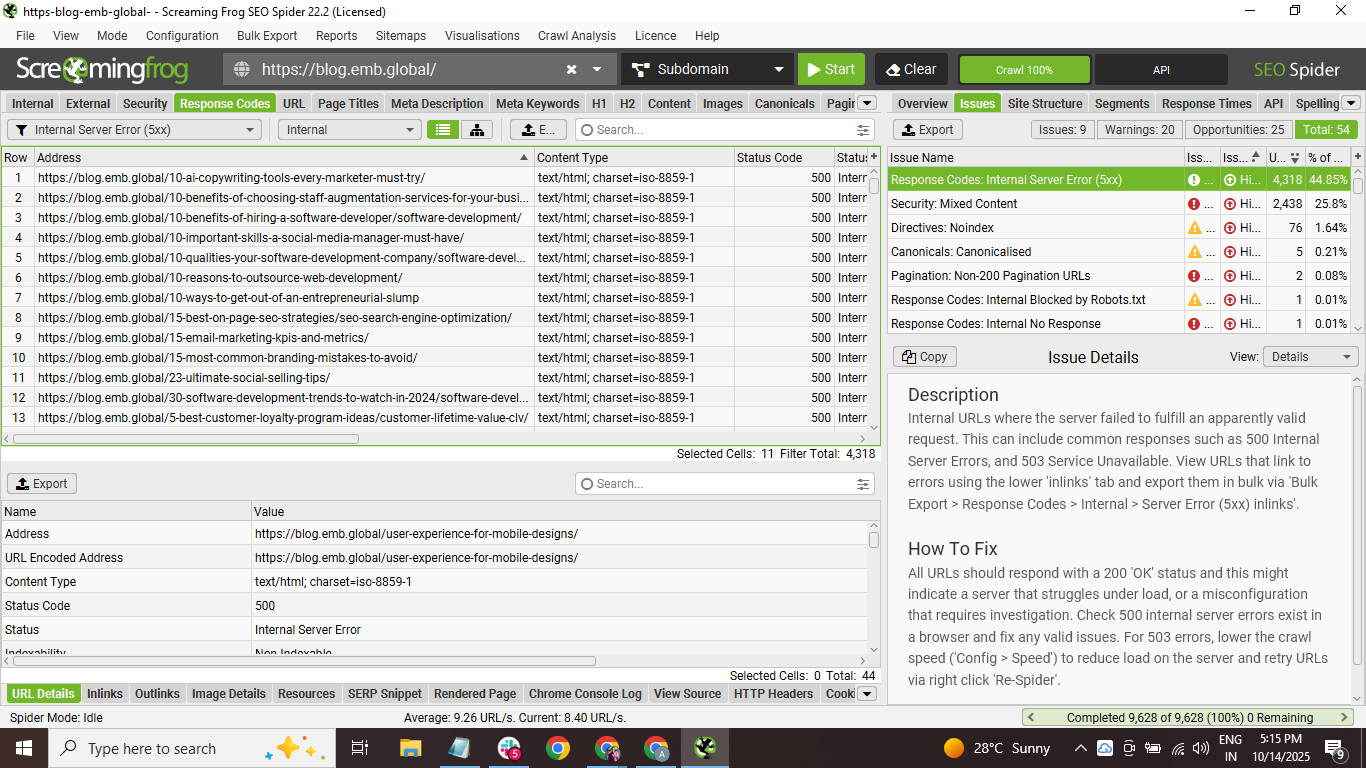
Broken links are the low-hanging fruit of SEO fixes, yet most sites have dozens lurking in their navigation and footer. You launch Screaming Frog SEO Spider, hit that crawl button, and watch the status codes roll in. When you see those 404s light up in red, that’s your money list right there.
Here’s what actually matters: internal broken links hurt way more than external ones. Google sees them as a sign of neglect. Sort your Response Codes tab by “Client Error 4xx” and filter for HTML pages only. Export that list. Fix the top 10 most-linked broken pages first – those are hemorrhaging the most link equity.
2. Optimize Meta Descriptions Using Screaming Frog SEO Spider Meta Description Optimization
Meta descriptions don’t directly impact rankings (Google’s been clear about that), but they control your CTR – your click-through rate from search results. And CTR absolutely impacts rankings. See the connection?
Pull up the Page Titles tab in Screaming Frog and look for these red flags:
-
Missing meta descriptions (the biggest sin)
-
Duplicate descriptions across multiple pages
-
Descriptions under 120 characters (wasted real estate)
-
Descriptions over 160 characters (they’ll get truncated)
The Screaming Frog SEO Spider meta description optimization feature shows you exactly which pages need work. Export the list sorted by organic traffic – fix your highest-traffic pages first for maximum impact.
3. Analyze H1 Tags with Screaming Frog SEO Spider H1 Tag Analysis
Your H1 tag is like the headline of a newspaper article. Get it wrong and nobody reads further. The Screaming Frog SEO Spider H1 tag analysis reveals three critical issues most sites have: missing H1s, duplicate H1s across different pages, and multiple H1s on the same page (yes, that’s still a problem in 2024).
Navigate to the H1 tab and filter for “Missing.” These pages are basically telling Google “I have no idea what I’m about.” Next, check for duplicates – if ten product pages all have “Our Products” as the H1, you’re missing ten opportunities to rank for specific terms. Each H1 should be unique and include your target keyword naturally.
4. Identify Duplicate Content with Screaming Frog SEO Spider Duplicate Content Finder
Duplicate content is SEO kryptonite. It confuses search engines and dilutes your ranking power across multiple URLs fighting for the same keywords. The Screaming Frog SEO Spider duplicate content finder uses hash values to identify pages with identical or near-identical content.
But here’s what drives me crazy: people obsess over 100% duplicate content when near-duplicates are often the bigger problem. Set your similarity threshold to 90% in Configuration > Content > Duplicates. You’ll catch those product variations and location pages that are 95% identical but flying under the radar.
|
Duplicate Type |
Common Culprits |
Quick Fix |
|---|---|---|
|
URL Parameters |
?sort=price, ?color=red |
Canonical tags |
|
Print Versions |
/page vs /page/print |
Noindex print pages |
|
WWW vs non-WWW |
Inconsistent linking |
301 redirect |
Step-by-Step Setup and Configuration for Maximum Impact
Essential Configuration Settings for On-Page Analysis
Default settings in Screaming Frog are built for basic crawls, not surgical on-page optimization. You need to customize. Go to Configuration > Spider and uncheck “Check Images” and “Check CSS” unless you specifically need them. This cuts your crawl time by 60%.
Next – and this is crucial – enable JavaScript rendering for sites built on React, Angular, or any modern framework. Configuration > Spider > Rendering. Without this, you’re analyzing what Googlebot saw in 2015, not what it sees today. Set the render timeout to 5 seconds (not the default 3). Those extra 2 seconds catch lazy-loaded content that impacts your SEO.
“Speed is great, accuracy is better. A fast crawl that misses half your content is worse than useless – it’s dangerous because it gives you false confidence.”
Crawl Depth and Speed Settings for Large Sites
Large sites need special handling or you’ll either crash your server or wait three days for results. Here’s the setup that works for sites with 50,000+ pages: Set your crawl speed to 5 URLs per second (Configuration > Speed). Any faster risks triggering rate limiting. Any slower and you’ll grow old waiting.
Limit crawl depth to 5 clicks from the homepage initially. Honestly, if important pages are more than 5 clicks deep, you have bigger problems than how to use Screaming Frog to improve on-page SEO. Those pages are practically invisible to search engines anyway.
Screaming Frog SEO Spider Internal Linking Analysis Setup
Internal linking is where good sites become great sites. The Screaming Frog SEO Spider internal linking analysis shows you exactly which pages are hoarding all your link juice and which are orphaned in the wilderness.
Enable “Store All Inlinks” and “Store All Outlinks” in Configuration > Spider. Yes, it uses more memory. Deal with it. The insights are worth upgrading your RAM. After crawling, hit the “Inlinks” tab and sort by count. Your most-linked pages should be your most important pages. Are they? If your privacy policy has more internal links than your main service page, you’ve found your problem.
Look for pages with fewer than 3 internal links – these are your orphans. They’re practically invisible to both users and search engines. Create a simple linking strategy: every page should have at least 3 relevant internal links pointing to it.
Maximizing Your On-Page SEO Results with Screaming Frog
After running hundreds of audits, one pattern emerges: the sites that win don’t try to fix everything. They identify the top 3-5 issues causing the most damage and attack those relentlessly. Your broken links, missing meta descriptions, and duplicate content issues probably account for 80% of your on-page problems.
Schedule monthly mini-audits focusing on just one aspect each time. January: broken links. February: meta descriptions. March: H1 optimization. This approach beats the annual “mega-audit” that produces a 200-page report nobody reads.
The beauty of Screaming Frog is its ability to export everything to CSV. Build a simple tracking spreadsheet showing issues found versus issues fixed over time. When your boss asks about SEO progress, you have numbers. Real ones.
FAQs
What is the best crawl configuration for e-commerce sites in Screaming Frog?
E-commerce sites need special treatment. Enable “Respect Canonical” to avoid crawling parameter variations of the same product. Set custom extraction for price and availability schema. Most importantly limit your crawl to categories and products only initially – skip the blog and help sections. You can audit those separately without overwhelming your crawl budget.
How often should I run Screaming Frog audits for on-page SEO?
Monthly for active sites, quarterly for stable ones. But here’s the key: run targeted micro-audits weekly on your top 100 pages. These are your money pages. Set up a separate crawl profile just for them. Takes 5 minutes and catches issues before they metastasize.
Can Screaming Frog detect missing alt text and image optimization issues?
Absolutely. The Images tab shows every image missing alt text, images over 100kb (which slow your site), and broken image links. Export this list and hand it to your content team. Missing alt text isn’t just bad for accessibility – it’s missed keyword opportunities. Every image should describe what’s in it while naturally including relevant keywords where appropriate.

Ridam Khare is an SEO strategist with 7+ years of experience specializing in AI-driven content creation. He helps businesses scale high-quality blogs that rank, engage, and convert.



