

Content optimization tools promise to turn anyone into an SEO wizard, yet most marketers end up paying for features they’ll never use. The real question isn’t which tool has more bells and whistles – it’s which one actually moves the needle for your specific workflow. After testing both Surfer SEO and Clearscope across dozens of client projects, the winner depends entirely on whether you’re optimizing existing content or creating from scratch.
Top Content Optimisation Tools: Surfer SEO vs Clearscope Head-to-Head
Surfer SEO Essential Features and Capabilities
Surfer SEO feels like having a data scientist sitting next to you while you write. The platform analyzes the top 50 SERP competitors and generates a content score based on 500+ ranking factors. You get real-time feedback as you type, watching your optimization score climb from red to green. It’s oddly satisfying.
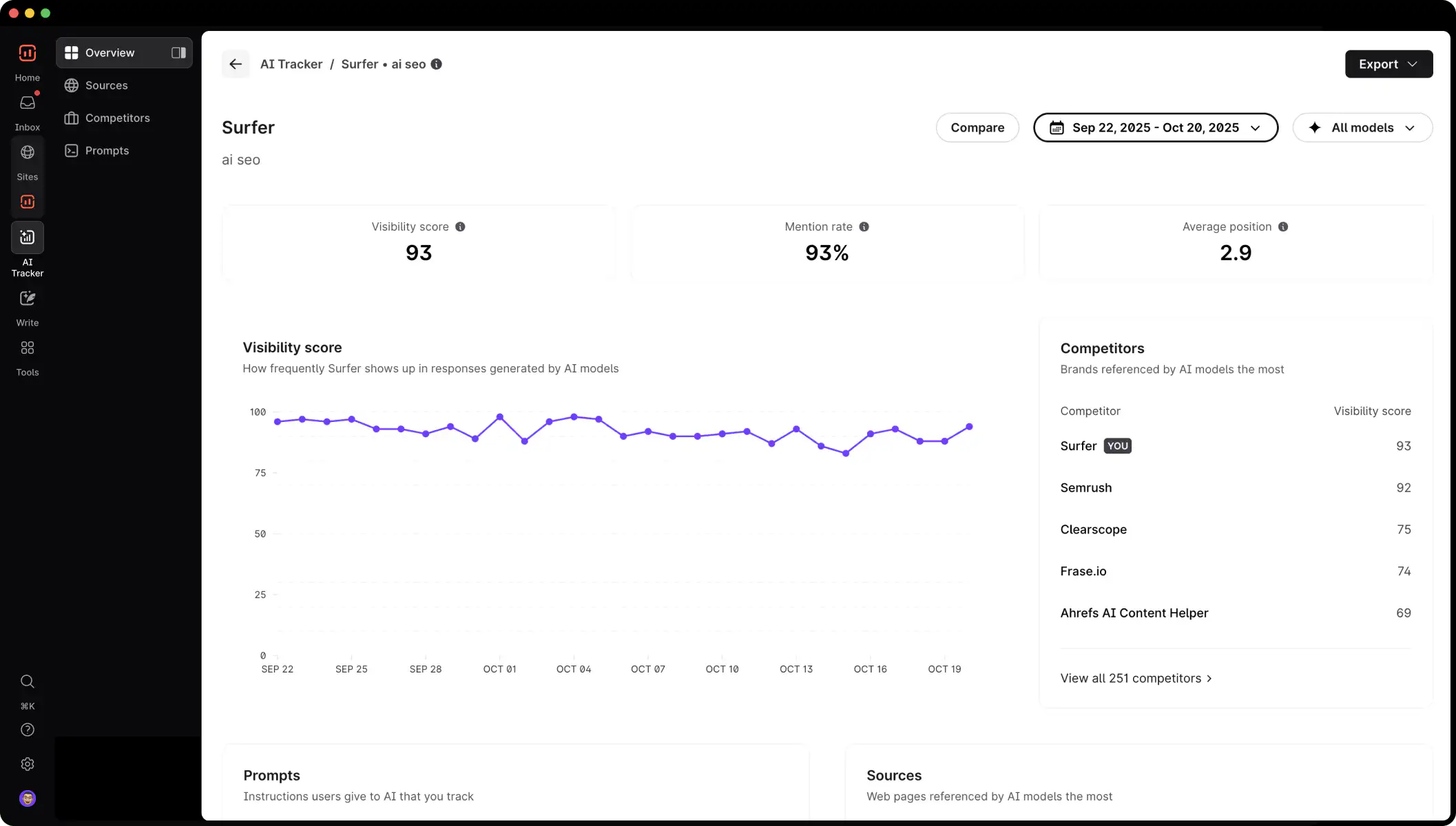
The Content Editor stands out with its NLP-powered keyword suggestions that go beyond basic density checks. You’ll see exactly which terms and phrases your competitors use and how often. But here’s what really matters: Surfer’s SERP Analyzer actually shows you why pages rank. Not just keyword counts – the actual structure and semantic relationships that Google rewards.
Key features that matter:
-
Content Score algorithm that updates in real-time
-
Keyword clustering to prevent cannibalization
-
Audit tool for fixing underperforming pages
-
Content Planner that maps out entire topic clusters
-
Chrome extension for on-the-fly optimization
Clearscope Core Features and Functionality
Clearscope takes a different approach – think of it as your content’s personal trainer rather than a data analyst. The interface strips away complexity to focus on one thing: comprehensive topic coverage. You paste in your draft and immediately see which concepts you’re missing and which competitor insights you haven’t addressed.

The platform’s strength lies in its simplicity. No overwhelming dashboards or metric overload. Just a clean sidebar showing your content grade (A+ through F) and a list of terms to naturally weave into your copy. Clearscope particularly shines when optimizing existing content – you can diagnose gaps in seconds.
What sets Clearscope apart:
-
Content grading system that non-SEOs actually understand
-
Related terms discovery beyond basic keywords
-
Readability scoring integrated into optimization
-
Competitor content outlines at a glance
-
Team collaboration features with commenting
Content Editor Comparison: Real-Time Optimisation Features
Picture this: you’re writing a 2,000-word guide at 11 PM (because deadlines don’t care about work-life balance). With Surfer, you’re watching multiple metrics simultaneously – keyword density and word count and competitor averages and semantic terms. With Clearscope, you’re focused on a single grade that either goes up or stays put. One isn’t better. They’re different.
Surfer’s editor feels like piloting a spacecraft with all the controls visible. You can adjust your target word count based on SERP analysis, see exactly which headings competitors use, and even get AI-generated outlines. The downside? Sometimes you spend more time optimizing metrics than actually writing compelling content.
Clearscope’s editor works more like a GPS – it tells you where to go without explaining the entire route system. The term list updates dynamically as you write, fading items you’ve already covered. Perfect for writers who want guidance without distraction.
|
Feature |
Surfer SEO |
Clearscope |
|---|---|---|
|
Real-time scoring |
Yes (0-100 scale) |
Yes (Letter grades) |
|
Keyword density tracking |
Detailed with ranges |
Simplified presence indicators |
|
Competitor analysis depth |
Top 50 results |
Top 30 results |
|
Writing assistant |
AI outline generator |
Topic modeling only |
AI Capabilities and Automation Differences
Let’s address the elephant in the room: both tools now lean heavily on AI, but they use it completely differently. Surfer went all-in with Surfy, their AI writing assistant that can generate entire articles from outlines. You can literally watch it write 1,500 words in under a minute. Scary? Maybe. Useful for first drafts? Absolutely.
Clearscope resisted the AI content generation trend. Instead, they use machine learning to improve their topic modeling – essentially getting better at understanding what Google wants to see in your content. No AI writing here. Just smarter content analysis.
Honestly, the only automation feature that really matters is bulk processing. Surfer lets you audit 100 pages simultaneously and export optimization tasks to a spreadsheet. Clearscope limits bulk operations but offers cleaner reporting for stakeholders who don’t speak SEO.
Integration Options: Google Docs, WordPress, and More
Your content probably lives in Google Docs before it ever sees WordPress. Both tools know this. Surfer’s Google Docs add-on brings the full Content Editor into your document – same real-time scoring and keyword tracking without tab-switching. The WordPress plugin works similarly, adding optimization panels to Gutenberg and Classic editors.
Clearscope’s integrations feel more polished but cover less ground. The Google Docs integration is seamless (seriously, it just works), and the WordPress plugin maintains your formatting better than Surfer’s. But that’s where integrations end. No Jasper, no ContentShake, no API access for custom workflows.
Integration comparison:
-
Surfer SEO: Google Docs, WordPress, Jasper, ContentShake, API access
-
Clearscope: Google Docs, WordPress, Microsoft Word (beta)
Pricing Plans and Value Comparison
Surfer SEO Pricing Tiers Breakdown
Surfer’s pricing structure rewards commitment. The Essential plan starts at $89/month for 30 articles – perfect for solo bloggers who publish weekly. Scale up to the Advanced plan at $179/month and you get 100 articles plus the Content Audit feature. Agencies typically land on the Max plan ($299/month) for unlimited audits and white-label reports.
But here’s the catch nobody mentions: those article limits reset monthly whether you use them or not. Miss a week of publishing? Those credits disappear. Also, the AI writing features cost extra – $29/month extra to be exact.
Current pricing tiers:
-
Essential: $89/month – 30 articles, basic features
-
Advanced: $179/month – 100 articles, audit tool, SERP analyzer
-
Max: $299/month – 300 articles, API access, white-label
-
Enterprise: Custom pricing for 500+ articles
Clearscope Pricing Structure Analysis
Clearscope plays in a different league price-wise. Plans start at $170/month for the Essentials tier, which sounds steep until you realize there’s no article limit – just a cap on active reports. You can optimize unlimited content as long as you archive old reports. Smart for agencies juggling multiple clients.
The Professional plan ($500/month) adds team seats and unlimited active reports. Enterprises shell out custom pricing for API access and dedicated support. Yes, it’s expensive. The question is whether comprehensive topic modeling justifies the premium.
“Clearscope costs 3x more than our previous tool, but our organic traffic doubled in six months. Do the math on that ROI.” – Every Clearscope case study ever (but also kind of true)
Cost per Content Report Calculation
Let’s get granular about value. If you publish 20 articles monthly, Surfer’s Essential plan costs $4.45 per optimization. Clearscope’s entry plan runs $8.50 per report at the same volume. But wait – Clearscope reports don’t expire, so optimizing old content costs nothing extra.
The real calculation depends on your workflow:
|
Monthly Volume |
Surfer Cost per Article |
Clearscope Cost per Report |
|---|---|---|
|
10 articles |
$8.90 |
$17.00 |
|
30 articles |
$2.97 |
$5.67 |
|
50 articles |
$3.58* |
$10.00** |
*Requires Advanced plan / **Requires Professional plan
Best Value Plans for Small Teams vs Agencies
Small teams (2-5 people) typically get better value from Surfer’s Advanced plan. You get enough credits for consistent publishing plus the Audit tool for fixing old content. The Google Docs integration means writers never leave their preferred environment. Total damage: $179/month split among the team.
Agencies need to think differently. Clearscope’s Professional plan seems expensive at $500/month, but unlimited active reports mean you can optimize client content without counting credits. Plus, the simpler interface means less training for freelance writers. Don’t even bother with Surfer unless you spring for the Max plan – you’ll burn through credits managing multiple clients.
Solo freelancers? This one’s easy. Surfer Essential at $89/month gives you everything needed to compete. Clearscope doesn’t make financial sense unless you’re charging premium rates and your clients specifically request it.
Making the Right Choice: Surfer SEO or Clearscope for Your Content Strategy
After months of parallel testing, the verdict isn’t what you’d expect. Neither tool is definitively better. They solve different problems for different workflows. Choosing wrong means fighting your tools instead of creating content.
Choose Surfer SEO if you:
-
Create new content more than you optimize existing pages
-
Want data-driven insights beyond keywords
-
Need AI writing assistance for first drafts
-
Manage multiple sites with different content needs
-
Have a limited budget but consistent publishing schedule
Choose Clearscope if you:
-
Focus on comprehensive, authoritative content
-
Optimize existing content regularly
-
Work with writers who aren’t SEO experts
-
Need clean reports for client presentations
-
Value simplicity over feature depth
The smartest agencies I know use both – Surfer for content planning and initial optimization, Clearscope for final polish and content refreshes. But if your budget forces a choice, pick based on your primary use case. New content? Surfer. Content optimization? Clearscope.
One final thought: tools don’t create great content. They just make good content more findable. The best optimization happens when you understand what your audience actually wants to read. Use these platforms as guides not gospel.
FAQs
Which tool offers better value for small businesses and freelancers?
Surfer SEO wins on pure value metrics. At $89/month for the Essential plan, you get 30 content optimizations plus access to keyword research and SERP analysis. Clearscope’s $170/month entry point only makes sense if you’re optimizing high-value content that justifies the premium.
Can I use Surfer SEO and Clearscope together?
Technically yes, and some agencies do exactly this. Use Surfer for initial keyword research and content planning, then run the final draft through Clearscope for comprehensive topic coverage. It’s overkill for most workflows but can make sense for pillar content or crucial landing pages.
What are the best alternatives to both Surfer SEO and Clearscope?
MarketMuse offers deeper topic modeling than either but costs significantly more. Frase combines optimization with AI writing at a mid-range price point. Page Optimizer Pro provides similar data to Surfer at a lower cost. For budget options, consider Rank Math’s Content AI or the free version of Neuronwriter.
Do Surfer SEO and Clearscope offer free trials?
Surfer offers a 7-day money-back guarantee rather than a true free trial. You pay upfront but can request a refund if unsatisfied. Clearscope doesn’t offer trials but provides personalized demos where they’ll analyze your actual content. Neither gives you a real test drive without commitment.
Which platform has better customer support and onboarding?
Clearscope edges ahead with dedicated onboarding calls and responsive email support (usually under 2 hours). Surfer provides extensive documentation and video tutorials but relies more on self-service. Their Facebook community is active and helpful though. For hand-holding, choose Clearscope. For comprehensive resources, pick Surfer.

Ridam Khare is an SEO strategist with 7+ years of experience specializing in AI-driven content creation. He helps businesses scale high-quality blogs that rank, engage, and convert.



