

Everyone thinks Yandex Webmaster Tools are just Google Search Console with a Russian accent. That misconception is probably why most international marketers completely ignore a platform that indexes over 64 billion web pages and dominates 60% of the Russian search market. The reality? Yandex Webmaster offers features that Google doesn’t even touch – like real-time indexing controls and a Quality Index that actually tells you what the algorithm thinks of your content.
If you’re new to Yandex’s playbook, start with how it differs from Google; the ranking priorities are not the same.
Setting up Yandex might feel like navigating a foreign subway system at first (everything looks familiar, but nothing’s quite where you expect it). The good news is that once you crack the initial setup, you’re looking at data insights that can transform your entire Eastern European and CIS strategy. Takes about 15 minutes to get running.
But here’s what drives me crazy: marketers spend thousands on Russian PPC campaigns while their organic Yandex presence sits there like an abandoned storefront. Why burn budget when free traffic is sitting right there?
Essential Yandex SEO Tools and Setup Process
1. Creating Your Yandex Account
Your first stop is passport.yandex.com – and yes, the interface defaults to Russian, but there’s an English toggle in the top right corner. You’ll need either a phone number or an existing email for verification. The whole signup takes maybe 3 minutes, though the SMS verification sometimes arrives 45 seconds late (just long enough to make you wonder if you typed your number wrong).
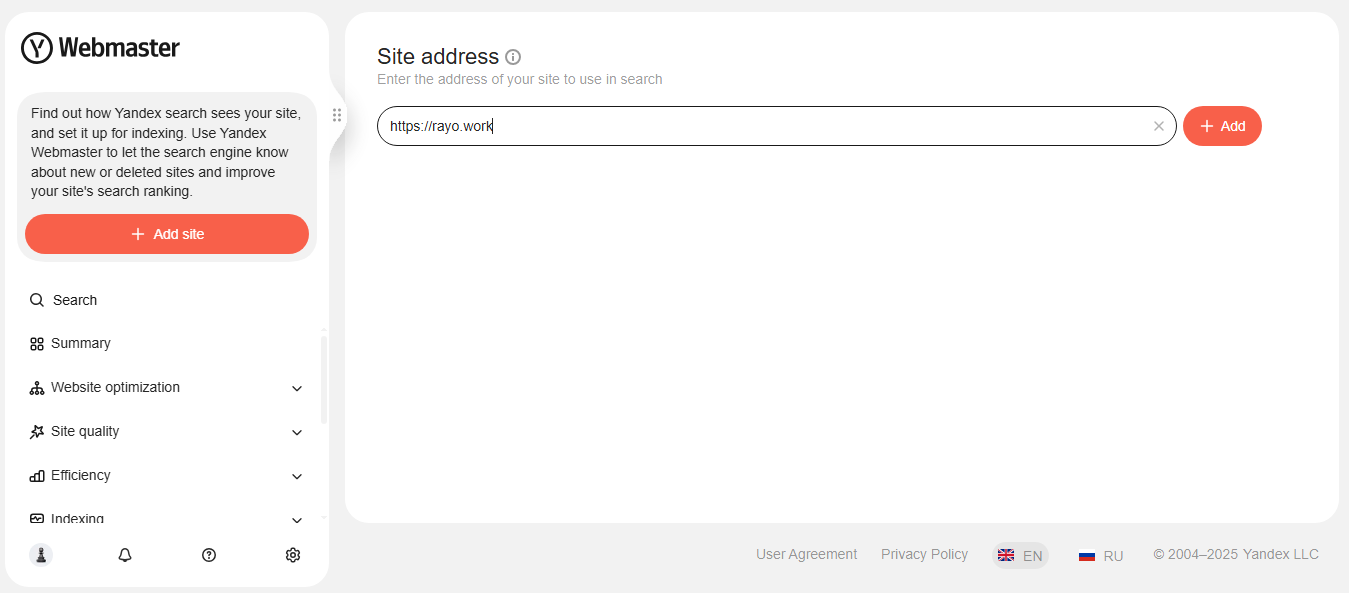
Once you’re in, head straight to webmaster.yandex.com. Don’t get distracted by the other services. Focus.
2. Site Verification Methods
Yandex gives you four ways to prove you own your site, and honestly, only two of them are worth your time. The meta tag method works in 90% of cases and takes effect within 10 minutes. The HTML file upload is your backup if you can’t touch the site header.
Verification is only step one; understanding which factors Yandex actually rewards will shape everything you configure next.
Here’s the breakdown:
| Method | Speed | Best For |
|---|---|---|
| Meta Tag | 10 minutes | WordPress, most CMSs |
| HTML File | 15 minutes | Static sites, limited CMS access |
| DNS Record | Up to 72 hours | When nothing else works |
| WHOIS | Instant | Only for .ru domains |
3. Meta Tag Installation
The meta tag Yandex generates looks something like this: <meta name="yandex-verification" content="abc123xyz789" />. Drop it anywhere between your <head> tags. WordPress users can paste it into their SEO plugin’s header field (Yoast, RankMath, whatever you’re running). Shopify stores have a dedicated verification field in Online Store > Preferences.
The verification ping happens automatically – no need to manually trigger it like with Google.
4. HTML File Upload
Yandex hands you a file named something like yandex_4a0b6c8d9e1f2g3h.html. Upload this directly to your root directory – same place where your homepage index file lives. The file needs to be accessible at yourdomain.com/yandex_4a0b6c8d9e1f2g3h.html.
Quick test: Can you access the file through your browser? Great. Click verify.
5. DNS Record Configuration
This method is your last resort (think of it as calling tech support – necessary sometimes but never fun). You’ll add a TXT record to your DNS settings with a value like “yandex-verification=abc123”. Every hosting provider hides DNS settings in a different spot, but look for “DNS Management” or “Zone Editor.”
Fair warning: DNS propagation can take anywhere from 10 minutes to 3 days. Usually hits around the 2-hour mark.
6. Sitemap Submission Process
Your sitemap URL goes straight into the “Indexing” section. Yandex prefers XML format, and unlike Google, it actually respects your sitemap priorities. Submit your main sitemap (usually at yourdomain.com/sitemap.xml) and any category-specific ones you’ve created.
The bot typically crawls submitted sitemaps within 24-48 hours. You’ll see the indexed page count start climbing on your dashboard around day 3.
7. Dashboard Navigation Basics
The Yandex dashboard splits into six main sections, but three of them matter most:
- Summary – Your daily health check (indexing status, critical errors, search queries)
- Search queries – What people actually search to find you
- Indexing – How Yandex sees and processes your pages
Skip “Statistics” unless you love graphs. “Tools” is useful once a month. “Settings” you’ll touch exactly once.
Maximizing Yandex Webmaster Features for Better Performance
1. Site Diagnostics and Quality Index
The Quality Index (IKS in Russian) is Yandex’s secret sauce – a score from 0 to 100,000+ that combines traffic quality and user behavior and content relevance and technical health. Think of it as PageRank’s chatty cousin who actually tells you what’s wrong. Scores above 10 are decent, above 100 are solid, and anything over 1,000 means you’re doing something very right.
The diagnostics panel flags issues in order of impact. Red alerts kill your rankings. Yellow warnings hurt but won’t sink you. Fix the reds first – always.
2. Search Query Analysis
This is where Yandex Webmaster Tools absolutely demolishes Google’s offering. You get exact search queries (not “other”), real click-through rates, and – here’s the kicker – you can see queries where you appear but get zero clicks. That’s your opportunity list right there.
Sort by impressions, find queries with high volume but low CTR. Those are your quick wins. Update those meta descriptions this afternoon.
3. Indexing and Crawling Controls
Yandex lets you force immediate reindexing of up to 100 URLs per day through the “Reindex pages” tool. Changed your homepage at 2 PM? It can be in Yandex’s index by 2:15 PM. Try doing that with Google.
The crawl rate limiter prevents Yandex from hammering your server during traffic peaks. Set it and forget it – unless your site crashes every time Yandex visits (then you have bigger problems).
4. Mobile Optimization Checker
The mobile checker runs your pages through an actual mobile renderer and screenshots the result. Not a simulation – an actual render. You’ll see exactly what Russian mobile users see, broken buttons and all.
Failed mobile checks tank your mobile rankings harder than a lead balloon. The tool flags specific issues:
- Text too small to read (under 12px)
- Clickable elements are too close (under 48px apart)
- Viewport not configured
- Content wider than the screen
5. Duplicate Content Detection
Yandex’s duplicate detector works differently from Google’s. It actually shows you which page it considers canonical and why. Running an e-commerce site with 50 product variations? This tool just became your best friend.
The “Duplicates” report lists every URL Yandex thinks is copying another page. Click through to see the similarity percentage. Anything above 85% needs immediate attention.
6. Internal and External Link Reports
The link reports show both internal and external links, but here’s what nobody tells you: Yandex weighs internal linking way heavier than Google does. Your internal link structure can make or break your Yandex rankings.
External links get scored by “link quality” – Yandex’s assessment of the linking domain. Links from .ru domains carry more weight for Russian queries (surprise, surprise).
7. Robots.txt and Sitemap Validator
Both validators run in real-time and show exactly how Yandex interprets your files. The robots.txt tester lets you input any URL and see if it’s blocked. Made a typo that blocks your entire site? You’ll know in 2 seconds.
The sitemap validator catches format errors that Google ignores. Yandex is pickier about XML formatting – one misplaced tag can invalidate your entire sitemap.
Conclusion
Look, mastering Yandex SEO tools isn’t about learning Russian or becoming an Eastern European market expert. It’s about recognizing that 150 million people use a search engine with completely different ranking factors and user behavior patterns. The Yandex SEO tools tutorial basics take maybe an hour to implement, but the traffic potential – especially if you’re targeting Russian-speaking markets – is massive.
Start with verification and sitemap submission. Then dig into that Quality Index score. Fix what’s broken before chasing what’s perfect. And remember: those Yandex SEO tools features that seem weird at first (like real-time indexing and behavioral factors) are exactly what make Yandex worth your time.
Your Google strategy won’t work here. That’s not a bug – it’s the entire point.
Frequently Asked Questions
Is Yandex Webmaster Tools completely free to use?
Yes, every single feature is free. No premium tiers, no paywalls, no “upgrade for more data” popups. Yandex makes its money from ads, not webmaster tools.
How long does Yandex verification typically take?
Meta tag and HTML file methods verify within 10-15 minutes. DNS records can drag on for 72 hours, though 2-4 hours is more typical. WHOIS verification (for .ru domains only) happens instantly.
Can I manage multiple websites with one Yandex account?
Absolutely. Add up to 1,000 sites per account. Each site gets its own dashboard and data. Switch between them using the dropdown in the top navigation.
What’s the difference between Yandex and Google SEO tools?
Yandex offers real-time indexing control, shows exact search queries (no sampling), provides a Quality Index score, and weighs user behavior much heavier. Google has better international data and more third-party integrations. Different tools for different markets.
How often should I check my Yandex Webmaster reports?
Weekly for active sites, monthly for maintenance mode. The Search Queries report updates daily but needs a week of data to show trends. Check immediately after major updates or if traffic drops suddenly.

Ridam Khare is an SEO strategist with 7+ years of experience specializing in AI-driven content creation. He helps businesses scale high-quality blogs that rank, engage, and convert.



